
Do Share Extension for Chrome
Ehsan Ahmadi Gharacheh
Screenshots
App details
- Version
- 6.0.19
- Size
- 1.09 MB
- Updated
- February 22, 2015
- Developer
- Ehsan Ahmadi Gharacheh
- Category
- Extension
SoftPas in:
This product is also available in the following languages:
About Do Share Extension for Chrome
Automated Google+ Post Scheduling Tool
Overview
The software is designed to streamline the process of creating and managing Google+ content, enabling users to write, schedule, and share posts across personal profiles, pages, and communities. It serves as a dedicated utility for individuals and teams who maintain an active presence on Google+ and seek greater efficiency in content distribution. The tool supports a range of functionalities including post scheduling, link sharing from any Chrome tab, and the ability to share content directly from the stream or notifications panel. It also facilitates engagement through features like +mentions, circle notifications, and photo uploads.
Target users include social media managers, content creators, and professionals who use Google+ for outreach or community building. The software integrates directly with the Google Chrome browser, making it accessible and convenient for users already operating within that ecosystem. Real-world usage scenarios include managing multiple Google+ profiles, automating recurring content, and maintaining consistent engagement with followers through scheduled posts and community contributions.
Developed by Do Share, the tool emphasizes workflow automation and ease of access. The developer did not provide additional information about their background or company history. Platform compatibility is confirmed for Windows and Mac, though exact system requirements were not listed. The software operates as a browser extension, meaning it runs within Chrome and leverages the browser’s environment for functionality.
Key Features & Capabilities
- Post Scheduling – Users can draft a post and schedule it for a future date and time, allowing for consistent content delivery without manual intervention.
- Chrome Integration – The tool enables sharing links from any open tab in Google Chrome, streamlining content curation and distribution.
- Multi-Profile Support – Supports multiple Google logins, allowing users to manage personal profiles and Google+ pages from a single interface.
- Rich Text Editor – Offers a distraction-free writing environment with rich text formatting, helping users craft polished and professional posts.
- Automated Poll Creation – Simplifies audience engagement by enabling the automatic generation of polls within Google+ posts.
- Hashtag Autocomplete – Assists in discovering and using relevant hashtags, improving post visibility within Google+ communities.
- Offline Functionality – Allows users to draft and manage posts even without an internet connection, with changes synced once connectivity is restored.
- Community and Circle Sharing – Supports posting to Google+ communities and sharing with specific circles, including options for notifications and resharing.
- Comment Sharing – Enables users to share a comment from the Google+ stream as a standalone post, promoting viral content distribution.
- Automatic Post Numbering – Automatically assigns sequential numbers to public posts, aiding in tracking and referencing content over time.
User Interface, Workflow & Performance
The user interface is built as a browser extension, integrating seamlessly into the Google Chrome environment. It presents a clean, minimalistic panel that appears when activated, offering quick access to core functions such as post creation, scheduling, and sharing. Navigation is intuitive, relying on familiar browser interactions—clicking an icon in the toolbar triggers the interface, and users can switch between profiles with a few clicks.
Workflow efficiency is enhanced by features like one-click sharing from any tab, direct posting from the stream or notifications panel, and the ability to save drafts for later editing. The rich text editor supports formatting, image uploads, and structured content, allowing users to produce high-quality posts without leaving the browser. The extension operates in the background, minimizing interference with other tasks.
Performance observations are based on general software behavior patterns. The developer did not specify resource usage details. Stability is expected to be consistent with standard Chrome extensions, though exact CPU or RAM behavior was not disclosed. The tool is designed to function efficiently within the browser’s constraints, with minimal impact on overall system performance.
Compatibility & System Requirements
The software is compatible with Windows and Mac operating systems, supporting the latest versions of Google Chrome. The installation size is 2.3 MB, indicating a lightweight footprint. The extension is designed to run within the Chrome browser environment, meaning it does not require standalone installation or additional system components.
Exact system requirements were not listed. Compatibility with older versions of Windows or Mac was not specified. The developer did not provide information on hardware requirements such as RAM, CPU, or disk space. Platform compatibility information is limited to the operating systems and browser environment mentioned.
Pros and Cons
Pros
- Efficient post scheduling and automation for Google+ content
- Seamless Chrome integration with one-click sharing
- Supports multiple Google accounts and profiles
- Rich text editor enhances content quality and readability
- Offline mode allows draft creation without internet access
- Automated poll creation and hashtag autocomplete improve engagement
- Lightweight at 2.3 MB with minimal system impact
- Supports both personal and page-level Google+ management
Cons
- Dependent on Google Chrome browser; not available on other platforms
- No official information on system requirements or performance metrics
- Google+ is no longer an active platform, limiting long-term relevance
- Support for legacy features may be discontinued without notice
- Limited to Google+ ecosystem; no cross-platform social media integration
FAQ Section
Is the software compatible with all versions of Chrome?
The software is designed for Google Chrome, but specific version compatibility was not detailed by the developer.
Can I use the tool without an internet connection?
Yes, the software supports offline functionality, allowing users to draft posts and manage content without an active internet connection.
Is the software secure to use with my Google account?
As a browser extension, it operates under Chrome’s security model. Users are advised to review permissions before installation.
How often does the software update?
Regular updates are likely, but the release frequency was not specified by the developer.
Can I manage multiple Google+ profiles with this tool?
Yes, the software supports multiple Google logins, enabling users to switch between personal profiles and Google+ pages.
Final Thoughts + CTA
While Google+ is no longer an active platform, the software remains a capable tool for users managing legacy content or maintaining historical presence. Its automation features, Chrome integration, and offline support offer practical advantages for efficient content management. The lightweight design and rich editing capabilities make it a solid choice for those still using Google+ for specific purposes.
For professionals or individuals who rely on Google+ for community engagement or archival content, this tool provides a streamlined workflow. However, its long-term viability may be limited due to the platform’s discontinuation.
Download Do Share now
Guides & Tutorials
How to install Do Share Extension for Chrome
- Click the Download button above.
- Once redirected, accept the terms and click Install.
- Wait for the Do Share Extension for Chrome download to finish on your device.
How to use Do Share Extension for Chrome
This software is primarily used for its core features described above. Open the app after installation to explore its capabilities.
User Reviews
No reviews yet. Be the first to share your experience.
You may also like
more
BannedList Highlighter Extension for Chrome
A Chrome extension that automatically highlights entries from John Rentoul's boo...

Bring It Back Extension for Chrome
It is an extension developed to revive the "Discuss" button which disappeared fr...

Clicky for Slack Extension for Chrome
#Clicky for Slack is the fastest and easiest way to share your current tab to an...

wrap Extension for Chrome
Reverting Tumblr’s awful design choices, one at a time. Up to date, despite old...
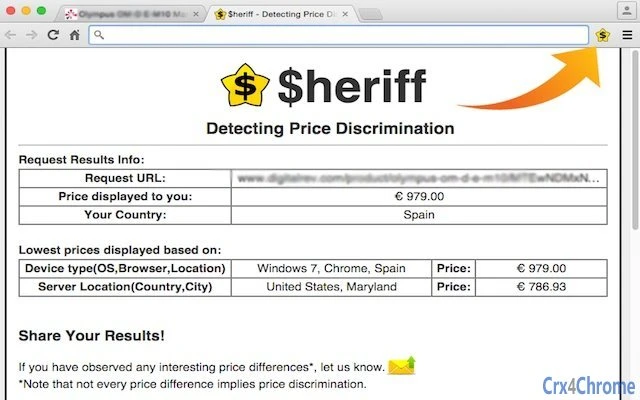
heriff_v2 Extension for Chrome
Before you install:1. $heriff is not intended for user under the age of 13.2. Fr...

Cards View' Filter for Trello Extension for Chrome
Adds buttons for filtering cards by list in Trello's Cards view.Changelog:1.0 (2...